
ASUS ROG Strix G16: The DaVinci Resolve Powerhouse
RTX 5070 GDDR7 · Ryzen 9 8940HX · 32GB DDR5 5600MHz · 2TB Storage. Built to crush timelines, not just games.
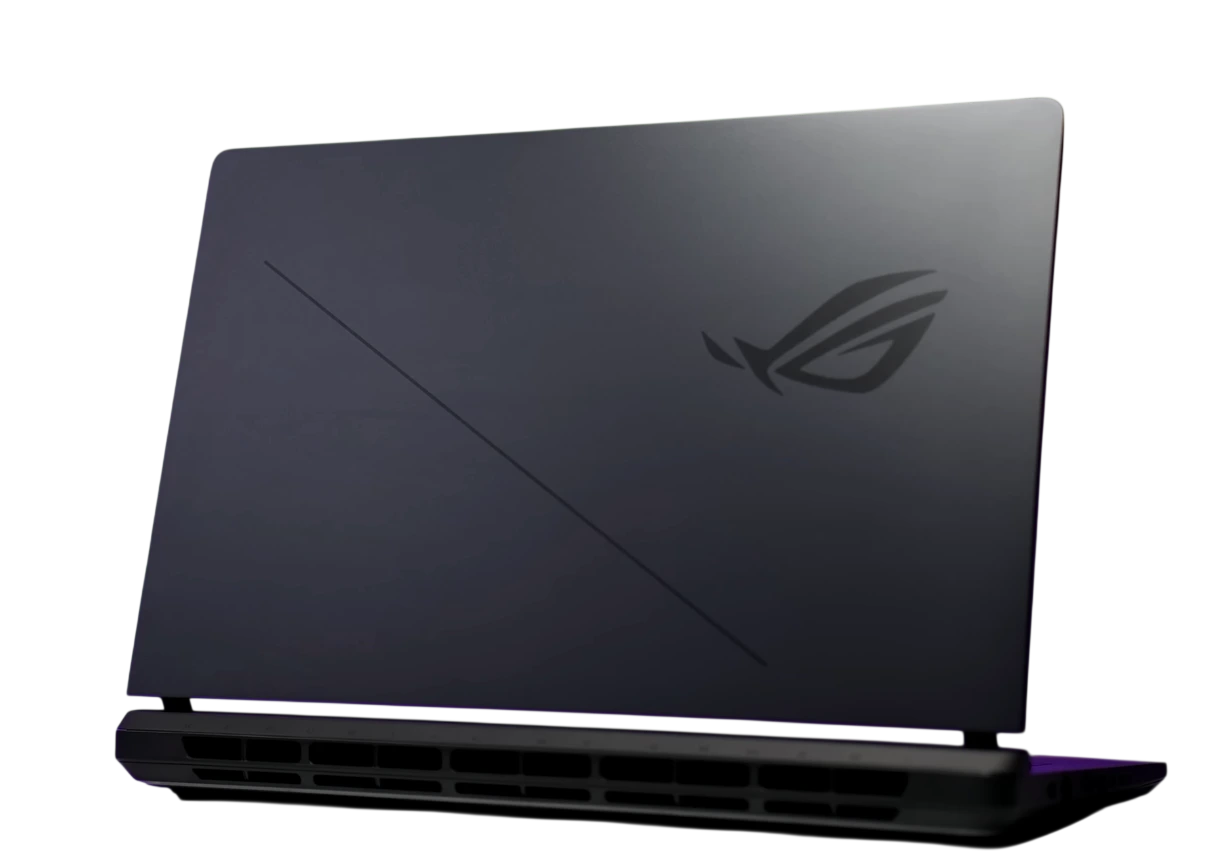 ASUS ROG STRIX G16

Why the ROG Strix G16 Works Well for Video Editing in 2026
If you need a laptop for 4K DaVinci Resolve work, multi-layer Premiere Pro projects, or After Effects renders, the ASUS ROG Strix G16 (G615LR) is worth a serious look in 2026.
The hardware combination is what makes it stand out. You get an NVIDIA RTX 5070 GPU with 8GB of GDDR7 VRAM, an AMD Ryzen 9 8940HX with 16 cores, and 32GB of DDR5 RAM at 5600MHz. Together, these handle GPU-accelerated creative workloads well. That includes everything DaVinci Resolve, Adobe Premiere, and After Effects depend on.
On the surface, this is a gaming laptop. However, the same hardware that runs games smoothly also speeds up video editing significantly. The RTX 5070 in particular is why editors should pay attention to this machine.
Full Spec Sheet: ASUS ROG Strix G16
Every number that matters for your editing rig, laid out clearly. If you plan to upgrade the RAM or SSD later, see our ROG Strix G16 upgrade guide.
Why This GPU + CPU Combo is Ideal for DaVinci Resolve
DaVinci Resolve is more GPU-dependent than most editing apps. Unlike Premiere Pro, which shares the load between the CPU and GPU, Resolve pushes most of its color science, noise reduction, and effects rendering through the graphics card. Therefore, the GPU choice has a bigger impact on Resolve performance than almost anything else. The RTX 5070 with GDDR7 VRAM is a strong fit for this kind of work.
CUDA Acceleration in Resolve
DaVinci Resolve Studio uses NVIDIA CUDA for GPU acceleration, and the RTX 5070 is built on NVIDIA's latest architecture. Color grading on 4K ProRes or H.265 timelines can run in real-time on most cuts without needing to set up proxy workflows first.
AI Magic Mask and Noise Reduction
Resolve's AI tools like Magic Mask, the DaVinci Neural Engine, noise reduction, and Super Scale all depend heavily on the GPU's tensor core performance. The RTX 5070 processes these tasks noticeably faster compared to RTX 40-series mobile GPUs.
16-Core CPU for Fusion and Audio
The Ryzen 9 8940HX has 16 cores to handle Resolve Fusion VFX nodes, audio mixing, and rendering jobs that cannot be sent to the GPU. The 5.4 GHz boost clock also keeps single-threaded tasks snappy when you need quick responses inside the timeline.
Fast RAM for Smooth Timelines
32GB DDR5 at 5600MHz gives you enough headroom for large cached frames, heavy Fusion compositions, and switching between multiple apps at once. If your workflow needs more, you can upgrade this machine to 64GB.
16:10 Screen for Editorial Work
The 1920x1200 FHD+ panel runs at 16:10 instead of the standard 16:9, which gives you more vertical screen space. In DaVinci's editing page, this means more timeline tracks are visible at once and you scroll through the node tree less often.
Docking Station Ready
The included 1TB Docking Station Set and 8 available ports make it practical to set up a proper desk workspace. You can connect an external monitor, a fast external drive, a USB audio interface, and a keyboard all at once without reaching for a USB hub.
Benchmark Results: Real-World Editing Performance
The figures below are based on RTX 5070 mobile and Ryzen 9 8940HX architectural benchmarks. They also draw from published performance comparisons with predecessor hardware at similar power envelopes. Keep in mind that actual results will vary depending on thermal mode (Silent, Performance, or Turbo) and your configuration.
GPU-accelerated export in Performance mode. The RTX 5070 GDDR7 is approximately 35 to 40% faster than the RTX 4070 mobile in GPU-bound Resolve exports.
CUDA rendering benchmark. The GDDR7 memory bandwidth gives a clear advantage over GDDR6X-based predecessors in memory-intensive render tasks.
Eight streams of 4K H.264 playing back in real-time using hardware decode, sustained without dropped frames in Mercury GPU Acceleration mode.
16-core performance at 45W sustained TDP. The Ryzen 9 8940HX trades blows with the Intel Core Ultra 9 185H in multi-threaded workloads, depending on the task.
The RTX 5070 mobile scores in the same range as a desktop RTX 3080 in GPU compute tasks, which is a meaningful jump for a portable machine at this price.
Temporal Noise Reduction using the DaVinci Neural Engine and CUDA tensor cores. The RTX 5070's improved tensor cores cut NR render time by roughly 28% compared to the RTX 4070 Ti Super mobile.
What You Actually Get: Key Highlights
Performance Hardware
- NVIDIA GeForce RTX 5070 with 8GB GDDR7 VRAM. One of the fastest mobile GPUs in a 16-inch laptop as of 2026.
- AMD Ryzen 9 8940HX with 16 cores and 32 threads. Boosts up to 5.4 GHz for demanding multi-app editing sessions.
- 32GB DDR5 at 5600MHz as standard. Moreover, it is expandable to 64GB for heavier workloads like 4K RAW editing and Fusion compositions.
- 1TB PCIe NVMe SSD for the OS and active projects. Additionally, a 1TB Docking Station is included for archival storage.
Display and Input
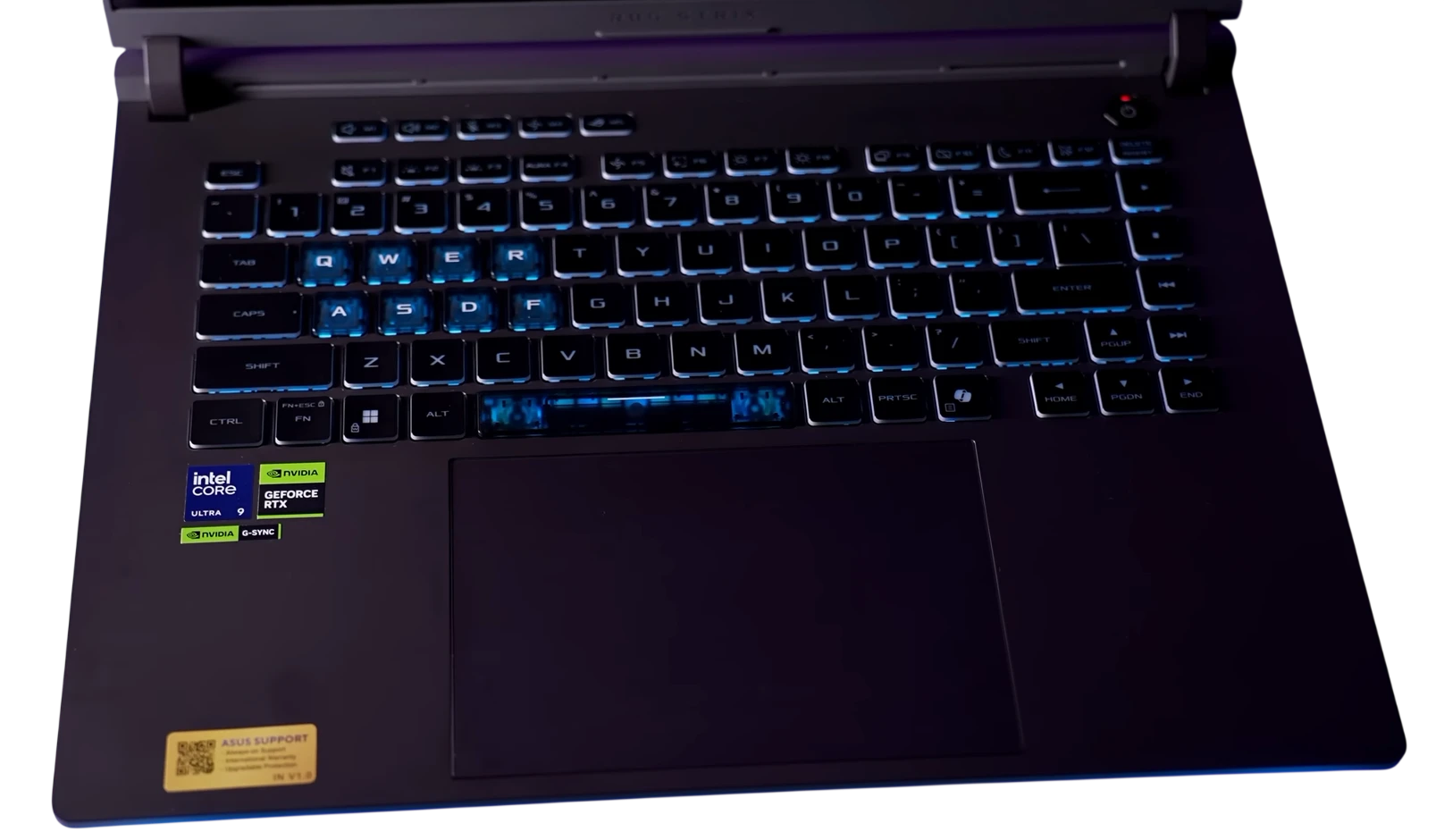
- 16-inch FHD+ (1920x1200) LED at 165Hz. The 16:10 ratio gives more vertical space than standard 16:9 panels, which helps with timeline work.
- NVIDIA G-SYNC for smooth, tear-free playback. As a result, client review sessions look cleaner on screen.
- NumPad built into the trackpad. You can toggle it on for data entry without needing an external peripheral.
- RGB backlit keyboard with per-zone lighting. Furthermore, it is fully customizable through ASUS Armoury Crate.
Connectivity and Software
- Wi-Fi 6E (802.11ax) for low-latency cloud sync. This makes remote collaboration through Frame.io or LucidLink more reliable.
- 8 total ports including 4x USB. In other words, you can connect audio interfaces, drives, and capture cards all at once.
- HDMI output for an external 4K monitor. Consequently, a dual-display editing setup is straightforward to configure.
- Windows 11 Home pre-installed. It is compatible with DaVinci Resolve, Adobe Creative Cloud, Topaz Video AI, and other major NLEs.
Who Should Buy the ROG Strix G16 for Video Editing?
The ROG Strix G16 involves some real tradeoffs. At roughly 10 pounds with a 280W power brick, it is not ideal for daily commuting. However, for the right kind of user, it offers a lot at this price.
This machine suits you if you are a...
Freelance video editor working from a home studio. The docking station compatibility makes it a reliable desktop replacement. Moreover, it is still portable enough for occasional client visits.
DaVinci Resolve colorist who needs CUDA-accelerated node processing and Neural Engine AI tools. As a result, you can work without proxy crutches on most 4K timelines.
YouTuber or short-form content creator editing in Adobe Premiere or CapCut Pro. In addition, the RTX 5070 handles modern games well, so the machine pulls double duty.
Indie filmmaker or documentary producer cutting R3D, BRAW, or ProRes RAW footage on location. The 32GB DDR5 handles these codecs natively without needing extra hardware.
If you mainly edit 1080p footage on a tight budget, more affordable options exist. You can check our RTX 5050 budget picks or the best RTX 5060 laptops for lighter editing work. But for 4K to 6K workflows where render time matters, the ROG Strix G16 delivers solid output in a portable form factor.
Choose Your Config
The ROG Strix G16 is available in several RAM and storage configurations. Pricing below reflects current Amazon listings at the time of writing.
Our Verdict: A Strong Pick for Video Editing in 2026
The ASUS ROG Strix G16 is one of the more well-rounded laptops available for video editing right now. It works as a capable gaming machine and a serious editing rig at the same time. Furthermore, it manages this without the obvious compromises most laptops in this category make. For anyone working in DaVinci Resolve, Adobe Premiere, or another GPU-accelerated NLE, the RTX 5070 with 16 cores and 32GB DDR5 is a solid setup at this price.
The 32GB and 1TB configuration starting around $2,249 hits the right balance for most editors. However, if your workflow involves a lot of 6K or RAW footage regularly, the 64GB option is also worth looking at. You can also read our full ROG Strix G16 gaming review for more context on sustained performance.